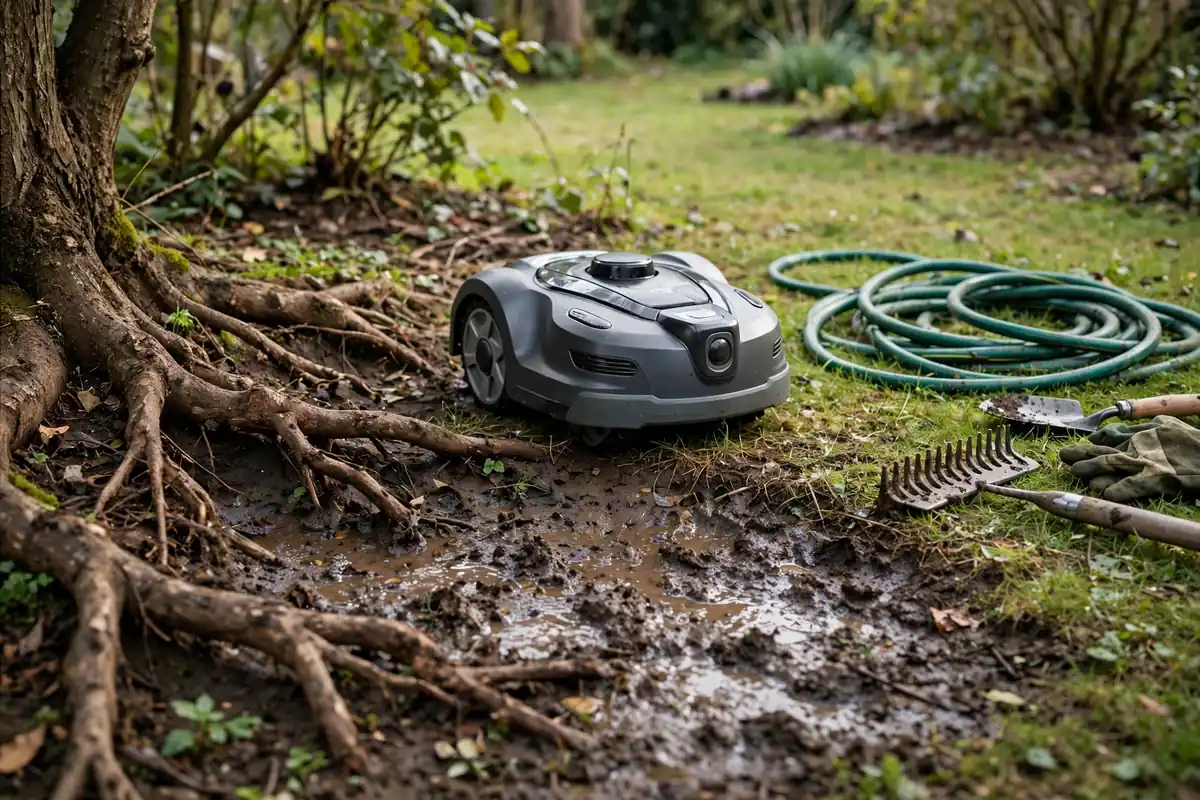
If your robot mower keeps getting stuck, the most likely cause is the lawn itself: soft mud, a hidden hole, a raised root, a steep slope, a low branch, or a passage too tight for the mower to turn in. Navigation errors and dirty or damaged wheels can cause the same problem, but environmental causes come first in most cases.
Before you touch the mower, switch it off and disconnect it according to your manual. Never lift a running mower, reach under the deck while the blades could move, or bypass a lift, tilt, or safety sensor.
How to Tell Where the Problem Starts
A robotic mower stuck in lawn can look the same in every case: it stops, beeps, shows an error, or sends a notification. The location and pattern usually tell you more than the error message.
Does it always stop in the same place? That points to a lawn feature, a boundary problem, or a mapping error in that zone. Does it stop in different places, but only after rain? Soft ground is a strong suspect. Does it stop anywhere, even on flat, dry, open grass? A wheel, sensor, battery, or drive problem becomes more likely.
Note the spot, the weather, the error message, and what the mower was doing just before it stopped.
A Safe Diagnostic Sequence
Work through the lawn first, then the mower. Do not change several things at once, or you will not know which change worked.
First, inspect the stop point for mud, a dip, a hole, a raised root, a rock, a sprinkler head, a hose, a toy, or a fallen branch. Next, with the mower switched off and disconnected as directed in the manual, check the wheels and underside.
Then wipe dust, grass, pollen, and mud from the bumper, lift sensors, rain sensor, and any visible navigation sensors. After clearing the obvious problem, test the mower in a small, flat, open area if your model allows a manual or spot-mowing mode. If it moves normally there but fails in the problem zone, the lawn is still the main suspect.
Mud, Soft Ground, and Holes: Why a Robot Mower Keeps Getting Stuck
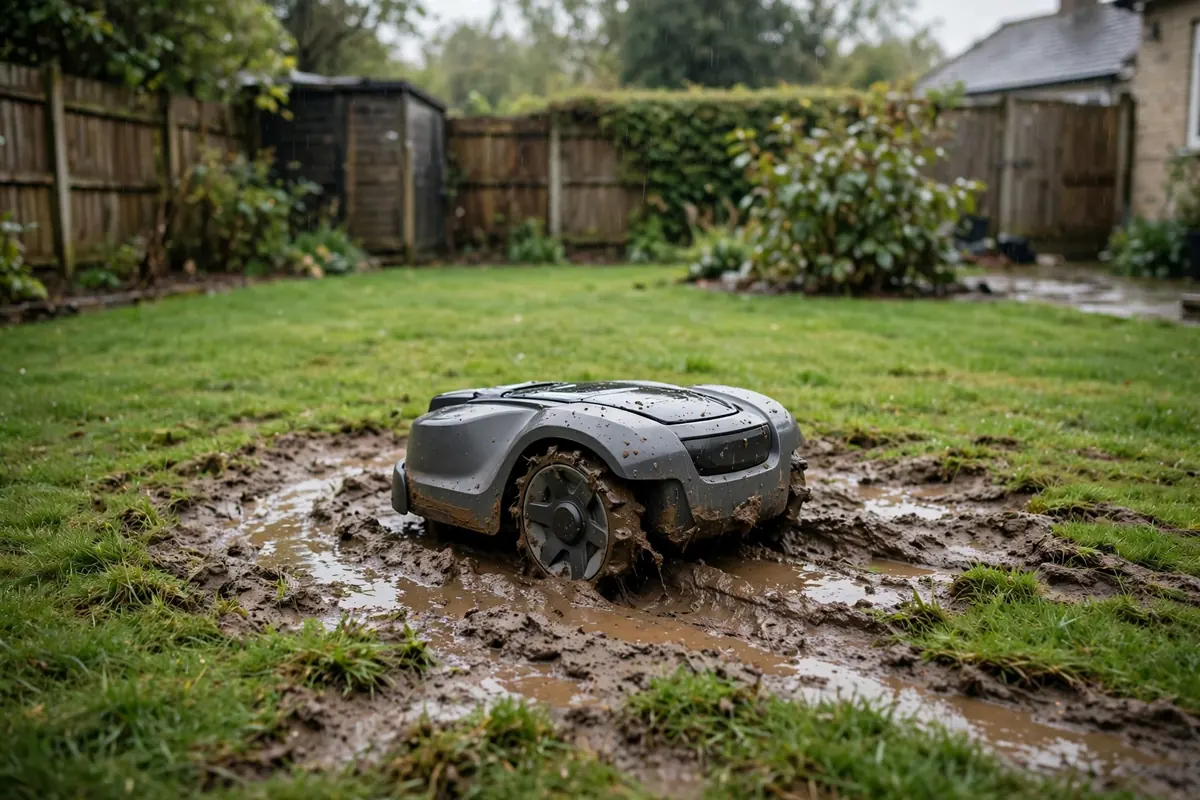
Mud is one of the most common reasons a robot mower keeps getting stuck. The wheels spin, dig in, and lose grip. The mower may tilt, lift a wheel, or trigger a lift or tilt error even though nothing is blocking it.
Wet soil after rain, a low hollow that collects water, a shaded area that stays damp, and a lawn with thin grass cover are all high-risk spots. A mower crossing the same wet track every day can also wear a rut, which then holds more water and makes the problem worse.
Let the lawn dry before mowing, and use a rain delay or a drier time of day if your model supports it. Do not force a mower through standing water. Fill small holes with topsoil and reseed bare patches.
Roots, Uneven Ground, and Slopes
Robot mower uneven ground problems often come from features that look minor to a person but are large to a small mower. A raised root, a paving edge, a ridge left by a mole, or a dip at the edge of a path can lift one wheel, stop the mower, or send it off course.
Tree roots deserve special attention. A mower can climb partway onto a root, lose traction, and then be unable to reverse because the root blocks the rear wheel. Do not cut a structural tree root to make room for a mower. Instead, exclude the root zone with the boundary, or add a mulch ring if appropriate.
Slopes add a second problem: traction. A mower may climb slowly, slip sideways, or stop partway up and roll back, and wet grass makes this worse. Check your manual for the maximum slope your model is designed to handle, usually given as a percentage or an angle.
Low Branches, Garden Obstacles, and Narrow Passages
Robot mower obstacle problems are not always caused by objects on the ground. Low branches, overhanging shrubs, garden furniture, a washing-line pole, a trampoline leg, or a low-hanging bird feeder can catch the top of the mower, block its sensors, or stop it from turning.
Walk the mowing area at mower height. Crouch down and look across the lawn. Branches that look high from standing height can be low enough to interfere, especially when heavy with leaves or wet after rain. Trim back branches that hang into the mowing area, and move hoses, toys, tools, and watering cans before each mow.
Narrow passages need a different check. A gap that looks wide enough may be too narrow once the mower starts to turn. Common trouble spots include a passage between a fence and a raised bed, a gap between a shed and a hedge, and a narrow strip beside a driveway. If the mower enters a passage and then cannot turn around, widen the gap if you can, move one side of the obstruction, or exclude the passage from the mowing area.
Robot Mower Wheel Stuck: Debris, Wear, and Damage
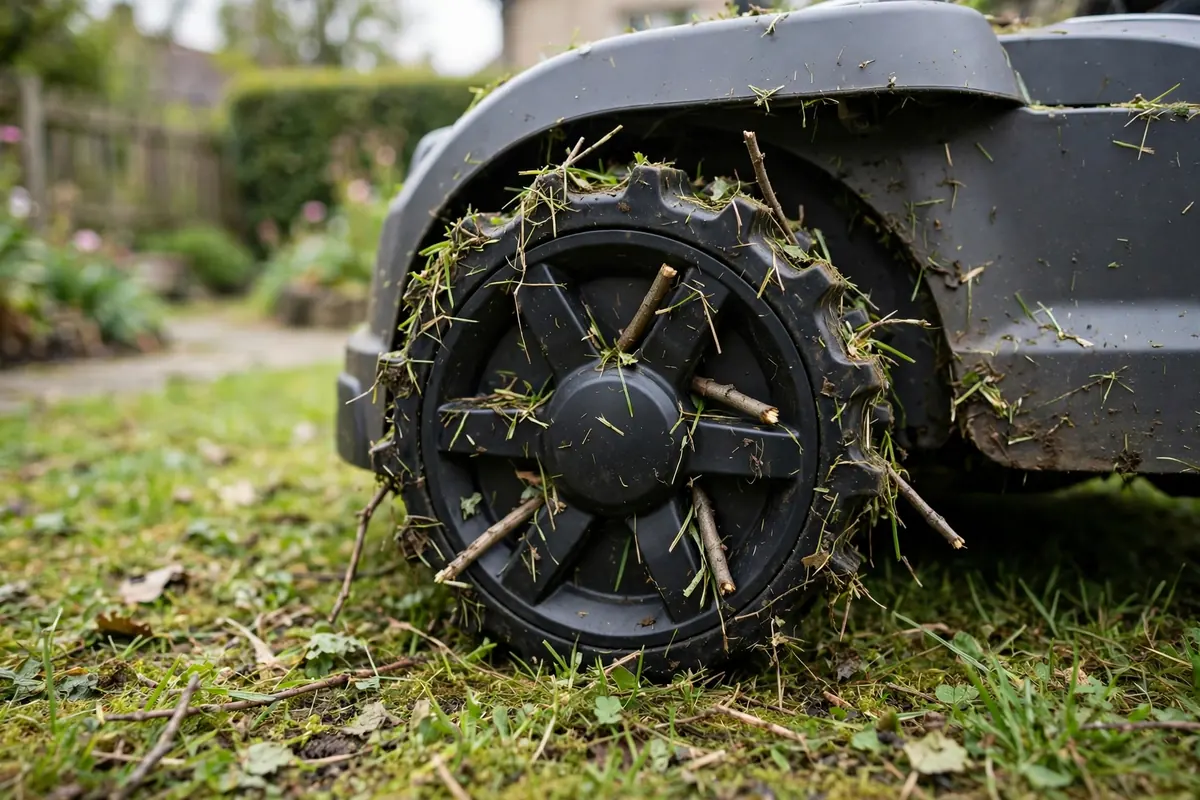
A robot mower wheel stuck in place is often a maintenance problem rather than a lawn problem. Grass, mud, string, fishing line, and hair can wrap tightly around an axle and stop a wheel from turning freely. The mower may drive in circles, drag one side, or stop with a wheel error.
With the mower switched off and disconnected, inspect each wheel closely. Remove debris by hand or with scissors, taking care not to cut a wire or damage a seal. Check the tread for wear, cracks, or missing pieces. A smooth or damaged wheel will slip more easily on wet grass and slopes.
If one wheel turns freely and the other does not, do not keep running the mower to “wear it in.” Check the manual for the correct way to remove and refit the wheel, and contact a qualified repair service if the wheel is damaged or the motor makes an unusual noise.
Boundary Layout and Mapping Errors
Robot mower navigation issues often start at the edge of the lawn. A boundary wire too close to a wall, fence, slope, or drop can leave the mower with no room to turn. A wire that crosses itself, lies too close to a metal edge, or runs through a narrow gap can confuse the mower or send it into the same corner repeatedly.
Check for corners that are too sharp, because a tight corner can trap a mower that needs a wider turning circle. Use a gentler curve where possible, and leave enough space for the mower to turn without hitting a fence, wall, or bed. A wire across a slope can also cause trouble, because a mower following a boundary along a slope may slip or tilt. Re-route the wire onto flatter ground if you can. A wire that has been cut, stretched, or lifted by frost or foot traffic can change the working area without any visible warning.
For mowers that use GPS, cameras, or a stored map instead of a wire, the cause may be a map that no longer matches the garden. New planting, moved furniture, a new shed, a changed path, or a tree that has grown can all change the navigation picture. Check whether the app map still matches the real garden. If it does not, follow your manual to update, remap, or reset the map.
When the Cause Is Hardware, Not the Lawn
Most repeated stops have an environmental cause, but some do not. Consider a hardware fault when the mower stops on flat, dry, open grass, when the same wheel always fails, or when cleaning and boundary checks make no difference.
Possible hardware causes include a worn or damaged drive wheel, a failing drive motor, a faulty lift, tilt, bumper, or rain sensor, a weak battery that cannot complete a normal session, and a software fault after an update. Note the exact error code or message and check it against the manual. Do not open the motor housing, battery compartment, or sealed electronics unless your manual specifically tells you to. If the mower is under warranty, contact the manufacturer or retailer before attempting a repair, because an unauthorised repair can affect warranty cover.
How to Prevent the Problem Coming Back
Once you have found the cause, prevention is usually simple, but it needs to be repeated. A lawn changes through the seasons, and a mower that worked well in summer may struggle in wet autumn conditions.
Before each mow, remove toys, hoses, fallen branches, fruit, and other loose items. Check the weather and delay mowing if the ground is very wet. Weekly, check the wheels, deck, and sensors for grass and mud, and clear debris before it builds up. Monthly, walk the boundary and look for lifted wire, new roots, new holes, and overgrown branches. Check the mower’s map if your model uses one.
Seasonally, fill holes, reseed bare patches, trim low branches, and reassess slopes after heavy rain. Adjust the cutting height for growth and weather conditions.
Conclusion
A robot mower that keeps getting stuck is usually reacting to a real problem in its working area. Mud, holes, roots, slopes, low branches, narrow passages, and poor boundary layout are the most common causes. Wheel debris and navigation errors can create the same symptoms, while a true hardware fault is less common but possible when the mower fails on easy ground too.
Start at the stop point, check the lawn before you change the mower, and test one fix at a time. Clear debris safely with the mower switched off, improve the ground where it is soft or uneven, give the mower room to turn, and keep the boundary and map up to date.
Frequently Asked Questions
Why does my robot mower get stuck in the same spot every time?
A repeat stop usually points to a fixed feature in that spot, such as mud, a hole, a root, a slope, a low branch, or a tight corner. Check the exact location first, then look at the boundary or map for that zone.
Why does my robot mower get stuck after rain?
Wet grass and soft soil reduce traction. The wheels can spin, sink, or dig a rut, and the mower may tilt or lift a wheel. Delay mowing until the ground is firmer, use a rain delay if available, and fix low hollows or bare patches that hold water.
How do I free a robot mower wheel that is stuck?
Switch the mower off and disconnect it according to the manual. Lift it clear only after the blades have stopped. Remove grass, mud, twine, string, or hair from the wheel and axle, and check that the wheel turns freely.
Can a boundary wire cause a robot mower to get stuck?
Yes. A wire placed too close to a fence, wall, slope, or flower bed can leave too little room for the mower to turn. Sharp corners, a wire across a slope, and a damaged or lifted wire can also trap the mower or send it into the same area repeatedly.
When should I contact the manufacturer about a stuck robot mower?
Contact support if the mower stops on flat, dry, open grass, if one wheel always fails after cleaning, if a sensor triggers with nothing touching it, or if you hear grinding or other unusual noises. Note the error message, the stop location, and what you have already checked.