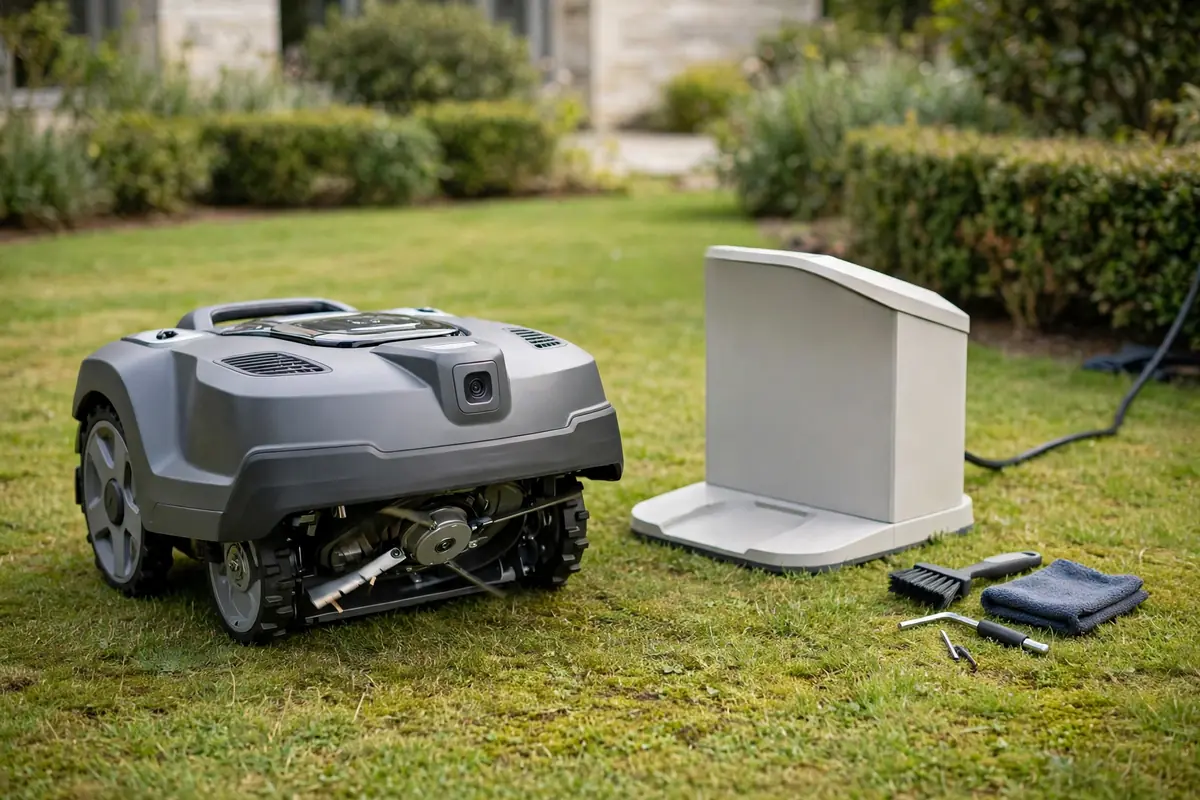
A good robot mower maintenance checklist is simple: check the mower briefly after it mows, clean it regularly, inspect the blades, wheels, sensors, and charging contacts, keep the software up to date, look after the battery, and prepare it for winter storage. That routine keeps the cut even, helps the mower find its dock, and reduces avoidable breakdowns. This guide is a practical framework organised by frequency, not a replacement for your model manual. Always adapt it to the manual for your exact model, your lawn, and how often the mower runs.
Robot Mower Maintenance Checklist: How to Use This Schedule
Think of this schedule as three layers. Daily checks catch grass build-up, damage, and obstacles early. Monthly checks cover wear on blades, wheels, and contacts. Seasonal care covers a spring inspection, extra attention in heavy summer growth, an autumn clean-down, and safe winter storage. A mower that runs daily on a large or uneven lawn needs attention more often than one that runs twice a week on a small, flat lawn. When the manual gives a different interval, follow the manual.
Safety First: Switch Off Before You Touch the Underside
A robot mower has sharp blades, moving parts, and a rechargeable battery. Before you clean, lift, turn over, or inspect the underside, switch it off and disconnect it according to the manual. Keep hands and feet away from the blades, and never reach underneath while it is switched on or able to start. Do not bypass a safety switch, lift sensor, tilt sensor, or blade guard. Wear gloves when handling blades, keep children and pets away, unplug the charging station before cleaning around it, and keep water away from electrical connections. If you find a damaged cable, cracked housing, swollen battery, or burning smell, stop and contact the manufacturer or a qualified service provider.
Daily Checks: A Quick Look After Each Mow
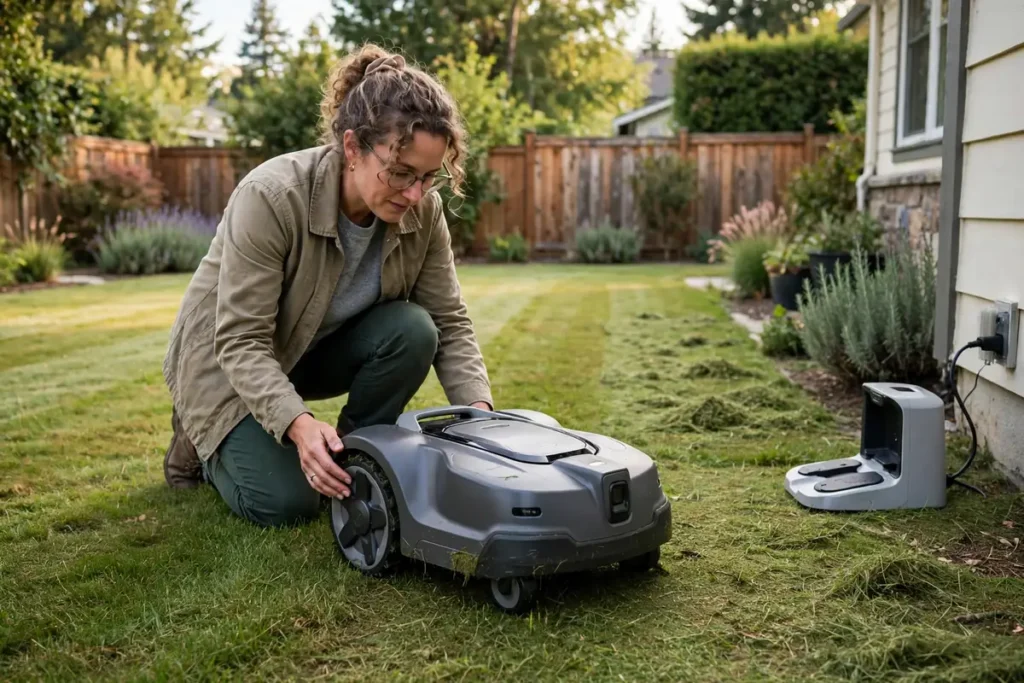
Daily care is a short visual check after the mower has finished and returned to its dock. Walk the lawn for anything it may have hit or dragged, such as sticks, stones, toys, hoses, or fallen fruit. Check that it is sitting correctly on its dock and that the charging light or app status looks normal. If it stopped mid-lawn, note where and what was nearby; that often points to an obstacle, a steep patch, a wet area, or a boundary problem.
Look at the wheels and underside for clumps of wet grass, mud, or string wrapped around an axle. Remove loose debris with a soft brush, but do not reach under the mower until it is switched off. Check the cut for uneven patches, missed strips, or scalped spots. A sudden change in cut quality often means dull blades, a clogged deck, or a cutting height that needs adjusting. Avoid mowing in heavy rain or on a waterlogged lawn unless your manual says the model is designed for it.
Weekly Robot Mower Routine Maintenance
Weekly care is the heart of robot mower routine maintenance. It takes only a few minutes, and it prevents most of the problems owners report. With the mower switched off and, where the manual directs, removed from the dock, brush grass and dirt from the top, sides, and wheels. Use a soft brush or dry cloth for most surfaces, and the supplied cleaning tool for the cutting deck. Avoid a high-pressure hose or jet washer unless the manual specifically allows it, as forced water can damage seals, bearings, and electronics.
Turn the mower over only as the manual describes, and inspect the blades for bending, chipping, bluntness, or missing blades, and for loose or worn screws. Do not sharpen a blade the manual says should be replaced, and do not fit a blade type not made for your model. Replace blades in the sets the manual specifies, and keep spares in a dry place.
Clean the wheels and check that they turn freely, removing grass, string, and mud from the hubs, axles, and front wheel or caster. Wipe the sensors, camera lens, and navigation windows with a soft, dry cloth; dirty sensors can affect obstacle detection and docking. Finally, wipe the charging contacts on the mower and dock, as sap, dust, and corrosion can interrupt charging. Let them dry before docking, and check that the dock is level, stable, and clear of leaves and soil.
Monthly Checks: Blades, Wheels, Contacts, and the Dock
Once a month, go a little deeper, when small wear becomes visible before it causes a failure. Inspect the cutting system, including the blade disc or plate, blade holders, and screws, for cracks, heavy wear, or a disc that wobbles or feels loose. Replace any cracked or damaged part with the correct part for your model, or ask a service provider to do it. Check that the cutting height adjustment moves smoothly and holds its setting.
Inspect the wheels for wear, cracks, and tread loss, and check that the drive wheels still grip on slopes and damp grass. Look at the body and bumpers for cracks, loose panels, and damaged seals around the lid or battery compartment; a damaged seal can let in water and dust. Check the charging station and cable for damage, a loose plug, or a dock that has shifted. For a boundary-wire model, look for wire that has surfaced or been cut. Do not dig up or repair wiring unless the manual explains how to do it safely. Confirm the schedule still matches the season, and update the map, zones, and no-go areas after any garden changes.
Robot Mower Inspection Checklist for Software and Battery
Software and battery care are easy to forget because they are invisible, but they belong on every robot mower inspection checklist. Check for software or firmware updates through the app or the method in the manual, and install them only as directed. Do not switch the mower off or remove it from the dock during an update unless the instructions tell you to. After an update, watch the next mow to make sure it docks, follows its schedule, and cuts as expected, and check the schedule, cutting height, and zone settings if anything changed.
For the battery, follow the manual exactly; different models have different charging and storage guidance, and the wrong routine can shorten battery life. Keep the mower on its dock during the mowing season, and avoid leaving it flat for long periods. Watch for shorter run times, failure to reach the dock, repeated charging errors, or a battery that feels unusually hot. Those are service tasks, not jobs to fix by opening the battery compartment yourself. Never open, puncture, or attempt to repair a lithium battery, and follow local rules for recycling a worn one. Keep a simple log — date, blades changed, and anything unusual — to help a service provider diagnose a fault.
Robot Mower Seasonal Care: Spring, Summer, Autumn, and Winter
Robot mower seasonal care follows the lawn, not the calendar alone.
Spring: the pre-season inspection
Clean the deck, wheels, sensors, and contacts, fit fresh blades if needed, and check the battery, wheels, seals, and dock. Check the boundary wire or map, update no-go zones for new planting, and run a supervised test mow, watching for missed areas, docking problems, or unusual noises.
Summer: heavy growth and heat
In summer the mower often runs more, so check the blades and deck more frequently. Fast-growing grass clogs the deck sooner, and dusty soil can coat sensors and contacts. If a heatwave dries the lawn, do not mow more often; cutting stressed grass too short can damage it.
Autumn: leaves, mud, and preparation
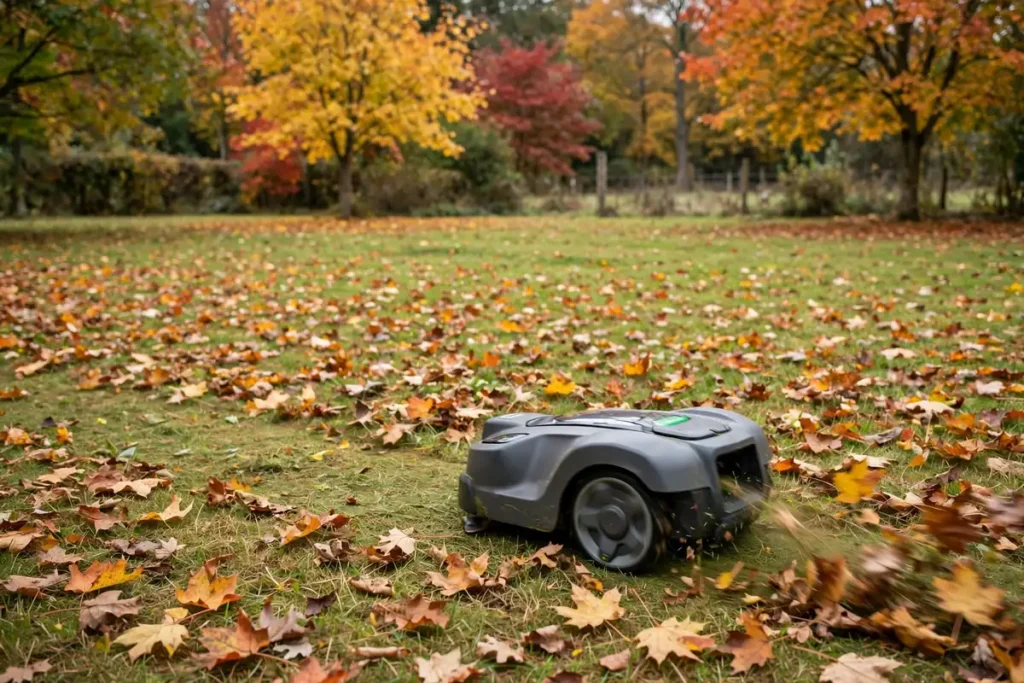
Clear leaves before mowing where you can, as thick leaf cover can clog the deck and hide obstacles. Clean the mower more often in wet weather, and check the wheels and sensors for mud. As growth slows, reduce mowing frequency, and check the boundary, dock, and cable before winter.
Winter: cleaning and storage
Winter storage is one of the most important robot mower service tasks, and one of the most often rushed. When the season ends, clean the mower thoroughly and let it dry. Inspect the blades, wheels, seals, and contacts, and charge the battery as the manual directs for storage, which is often not the same as leaving it on the dock all winter. Store the mower indoors in a dry, frost-free place, with the dock and power supply stored as the manual describes. Follow the manual on top-up charging, and repeat the spring inspection before the first mow.
When to Book Professional Service
Some robot mower service tasks are best left to a professional. Book a service if the mower will not charge, stops with repeated errors, makes a grinding or rattling noise, vibrates badly, smells of burning, or has a damaged battery, cable, or circuit board. The same applies if a wheel, motor, or sensor fails, if it cannot find its dock after you have cleaned the contacts and checked the dock, or if a software update fails and it will not restart. A yearly service is also sensible for a heavily used mower, or before the warranty period ends if the manual or warranty terms suggest a check. Take your maintenance log and any error messages with you. Do not open sealed parts, bypass a safety device, or fit non-approved parts. If a repair needs a part you cannot identify, ask the manufacturer or an authorised service provider for the correct part number for your exact model.
A Simple Routine You Can Keep
The best routine is the one you will actually follow. Keep a soft brush, a dry cloth, gloves, spare blades, and the manual together. Do the quick check after each mow, the weekly clean on the same day each week, and the monthly inspection on a date you will remember. Adapt this robot mower maintenance checklist to your model, lawn, and climate, and you will catch wear early and keep the cut consistent. When in doubt, the manual comes first, and a qualified service provider is the right call for the battery, the electrics, or a fault you cannot explain.
Frequently Asked Questions
How often should I clean my robot mower?
Clean it briefly after each mow and more thoroughly once a week in the mowing season, removing grass and debris from the deck, wheels, sensors, and contacts. Clean it more often in wet weather, heavy growth, or leaf fall, and do not use a high-pressure hose unless the manual allows it.
How often should I replace robot mower blades?
There is no single interval for every model, because blade life depends on blade type, lawn size, mowing frequency, and soil and debris. Inspect the blades weekly and replace them when blunt, bent, chipped, or missing, following the manual for the correct type and fitting method.
What should I check before the first mow of the season?
Clean the mower and dock, fit fresh blades if needed, inspect the wheels, seals, cables, and contacts, check the battery and software, and confirm the boundary or map and no-go zones are correct. Then run a supervised test mow, watching for docking problems, missed areas, or unusual noises.
How should I store a robot mower for winter?
Clean and dry it thoroughly, inspect it for wear or damage, and charge the battery as the manual directs for storage. Store it indoors in a dry, frost-free place, with the dock and power supply stored as the manual describes.
When should I get my robot mower serviced professionally?
Book a professional service for charging or battery problems, repeated errors, grinding or vibration, a damaged cable or housing, a failed motor, wheel, or sensor, or any fault you cannot explain after basic cleaning and checks. Take your maintenance log and error messages with you.