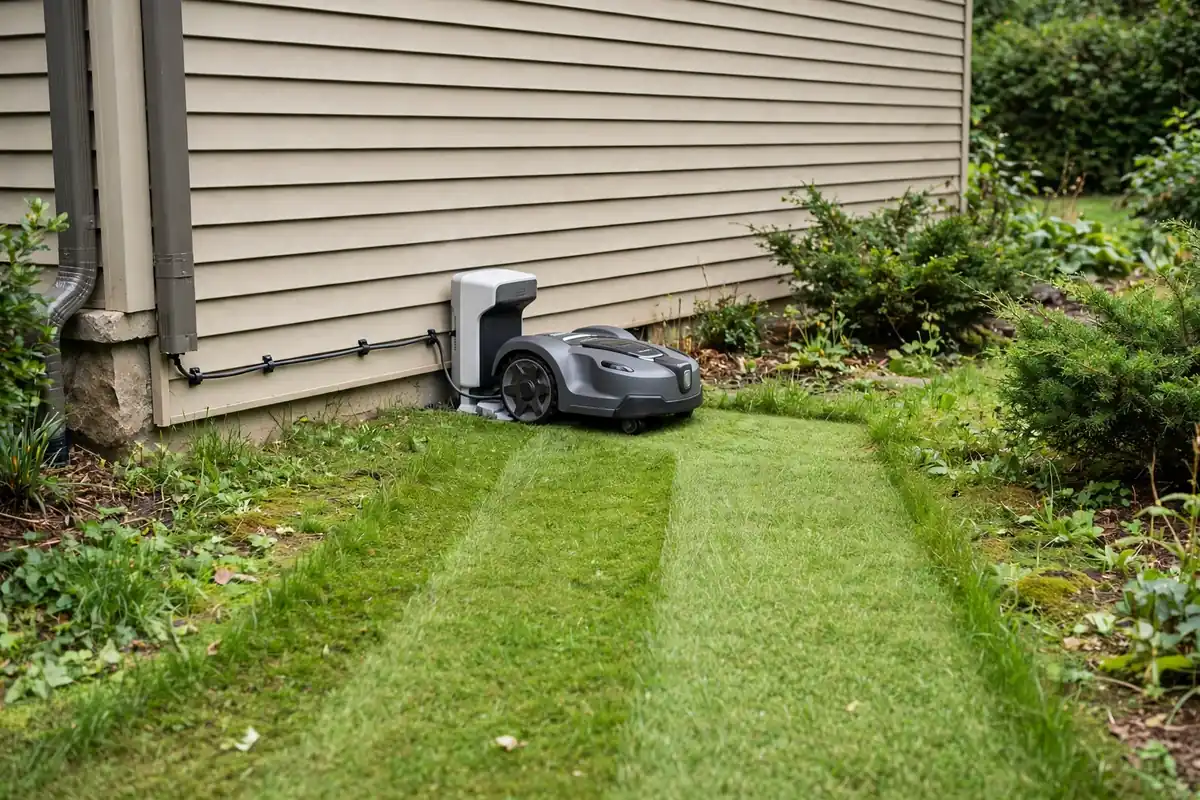
The best robot mower charging station placement is a flat, level spot at the edge of the lawn, close to a suitable outdoor power outlet, with a clear approach from the front, enough space around it, and a reliable signal. In most gardens that means beside a house wall, fence, or shed, on firm ground, partly sheltered from heavy rain and strong sun. Get it wrong and the mower may fail to dock or find its way home.
Robot Mower Charging Station Placement: What Makes a Good Location?
A good charging station location passes five tests: level, firm ground so the dock sits flat and the charging contacts meet cleanly; a clear approach so the mower can drive straight in; power within reach of the supplied cable; shelter and signal, with protection from the worst weather and the sky view, Wi-Fi, or boundary-wire connection your model needs; and easy access for you, so you can clean the dock and lift the mower out.
Start With Your Manual
Every mower has its own requirements for robotic mower charging base setup, and they are not interchangeable. Some docks need a straight, clear run in front of them; others can sit in a corner and guide the mower in along a wire. Some need open sky for satellite positioning; others only need a boundary wire and power. Your manual will state the minimum clearances, the maximum cable length, the socket type, and whether the dock must be fixed to the ground. Read it before you choose a spot. Do not modify the power supply, use a different charger, or bypass a safety feature to make an awkward location work.
Level Ground and a Firm Base
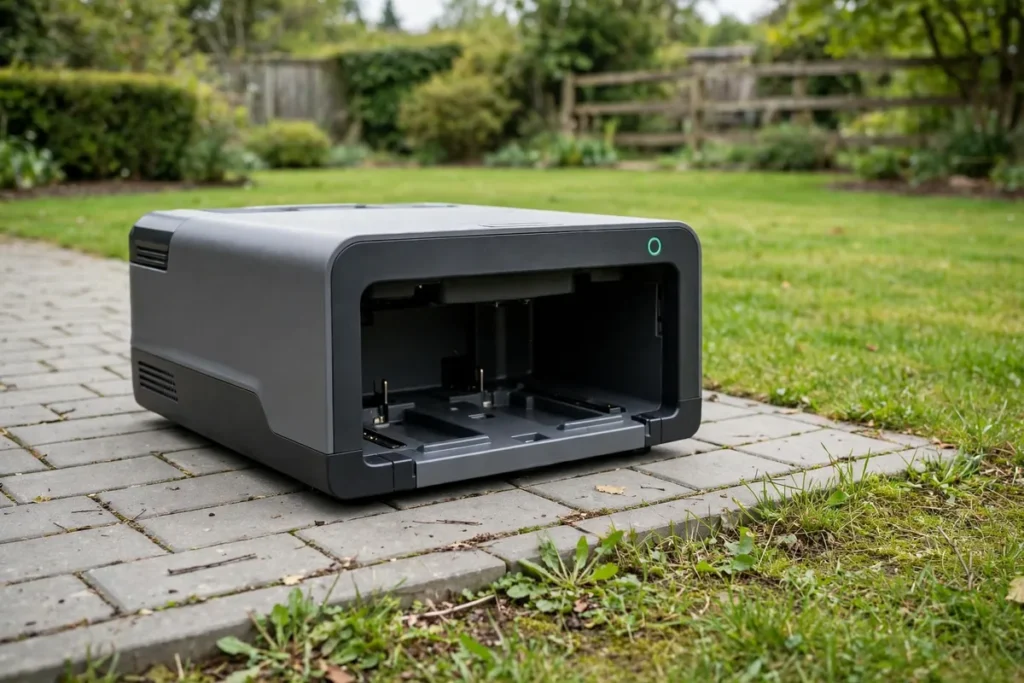
If the dock tilts, the mower may not line up with the charging contacts. Check the spot with a spirit level, in both directions, rather than trusting your eye.
The ground should also be firm. Soft, muddy soil lets the dock shift and the mower’s wheels spin as it tries to dock. A paved edge, a patio slab, or well-drained turf can all work, depending on your manual. Avoid low spots where water collects.
Clearance and a Clear Approach Route
The mower needs room to find the robot mower docking station and drive into it: clear space in front of the dock and enough room on either side to manoeuvre. Your manual will give exact distances, commonly a straight, obstacle-free approach of a metre or more. A dock tucked behind a planter or bin may look tidy, but the mower will bump into things or miss the contacts.
Avoid a narrow passage, the bottom of a slope, or a spot behind a tree trunk, and places where the mower must cross a path or a step to reach the dock, unless your manual allows it. Put the dock at the edge of the mowing area, not in the middle, and keep the approach free of toys, tools, and fallen branches.
Power Supply: The Robot Mower Power Outlet
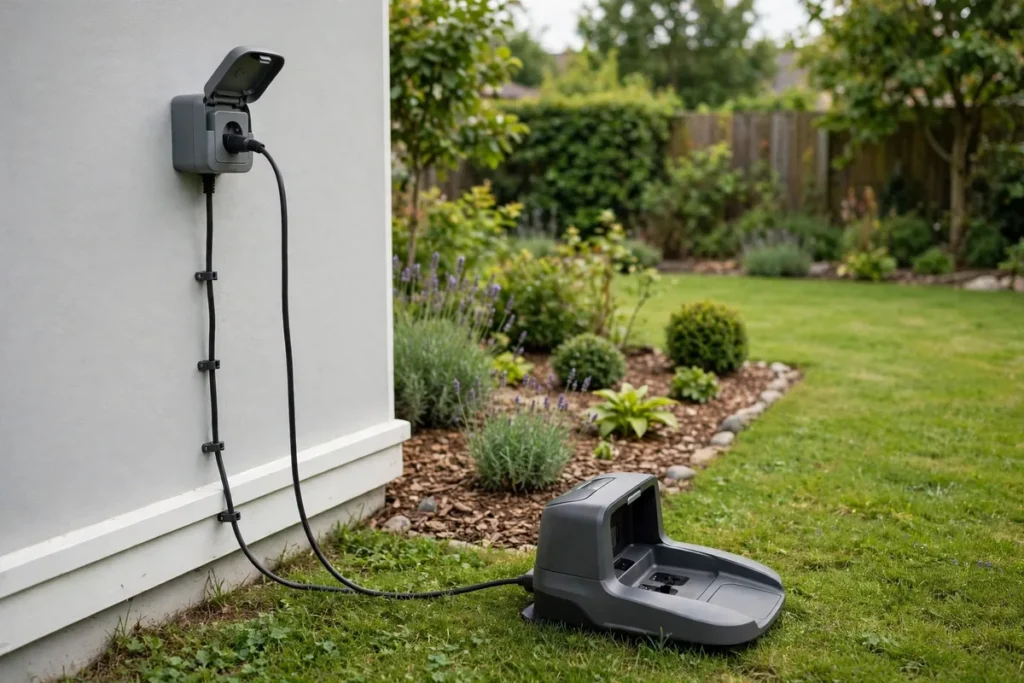
Use only the power supply that came with your mower, plug it into the socket type your manual specifies — usually a suitable outdoor socket with weather protection — and keep the connection dry. Do not use a damaged cable, an indoor extension lead outdoors, or a cable from another device, even if it fits. If the socket is far from the best dock position, have a qualified electrician fit a suitable outdoor socket nearer the dock.
Check the supplied low-voltage cable length before you commit, measuring the route from the socket to the dock, not the straight-line distance. The cable should have a little slack, but not lie loose where the mower or a foot can catch it. If it is too short, do not join it unless your manual and the manufacturer explicitly allow an approved extension.
Weather, Shade, and Shelter
Most docks are designed for outdoor use, but any spot is not equally good. A dock in full sun all day can get very hot, which is not ideal for the battery or the electronics. A dock exposed to driving rain will stay wet and dirty, and its contacts will need cleaning more often. The best compromise is usually some shelter — beside a house wall, under a shallow eave, or near a fence — without being fully enclosed. Do not put it under a gutter that overflows or a tap that splashes. A dock under a large tree will collect leaves on the contacts, so choose a spot you can keep clear with a quick brush.
Signal: GPS, Wi-Fi, and Boundary Wire
Signal is the factor most people forget, and the one most likely to cause a mower to get lost. Satellite positioning (GPS or RTK): wire-free mowers need a clear view of the sky at the dock and across the mowing area. A dock under a solid roof or dense tree canopy may not get a reliable signal, and the mower may fail to start or struggle to dock. Wi-Fi: if your mower connects to home Wi-Fi for app control, schedules, and updates, the dock should be within reliable range of your router or an outdoor access point. Test the Wi-Fi at the spot with your phone first. Boundary wire: for a wired mower, the dock is the start and end of the boundary loop, so the wire must reach it cleanly, with the straight section in front that the manual describes.
Cable Routing and Service Access
Plan both cables — power and, for wired mowers, boundary wire — before you fix anything down. Route the power cable along a wall or fence, where it will not be mown or walked on, and hold it in place with the clips supplied with the mower. Do not let it run across a path where someone could trip. Lay boundary wire as your manual directs, with enough slack at the dock, and leave it visible at first so you can check the layout before pegging or burying it.
You will also need to reach the dock regularly — to clean the charging contacts, clear leaves, and lift the mower in and out. Choose a spot you can walk to on dry, firm ground, where you can kneel beside the dock and see the contacts clearly.
Good and Poor Locations at a Glance
| Location | Why it usually works — or does not |
|---|---|
| Beside a house wall, near a socket | Sheltered, close to power, easy to reach. |
| Beside a fence or shed | Sheltered, with a clear lawn edge if the approach is open. |
| On a patio edge | Firm and easy to clean, if the manual allows a hard surface. |
| Under open sky, away from buildings | Good for signal, but exposed and often far from power. |
| In a narrow side passage | Too tight for a clear approach and hard to reach. |
| At the bottom of a slope | Water collects there and the mower may struggle to dock. |
| Under a dense tree or solid roof | Leaves and a blocked sky view cause docking and signal problems. |
| In the middle of the lawn | Blocks mowing and leaves the cable crossing the mowing area. |
How to Choose Your Robot Mower Dock Location
Do not fix the dock down until you have tested the spot. Read the manual and note the clearances, cable lengths, socket type, and signal needs for your exact model. Shortlist two or three spots: level, firm ground at the lawn edge, near power, with open sky or good Wi-Fi as your model needs. Walk the mower’s route and check for slopes, narrow gaps, steps, and obstacles. Measure the cable run and test the Wi-Fi. Place the dock temporarily, connect the power, and let the mower dock and undock a few times. Then watch a full test mow: if it hesitates, misses the contacts, or takes a long time to find home, try another spot. Only then fix the dock down and route the cables neatly.
Places to Avoid and Moving the Dock Later
Avoid a dock behind a locked gate or in a fenced-off area the mower cannot reach; on a slope, a step, or a raised bed edge; where a car or wheelbarrow regularly drives over the approach or the cable; beside a pond or pool unless the manual explicitly allows it; in a spot that floods, even occasionally; and where children play ball games or pets run, if the dock is likely to be knocked or blocked.
Sometimes the first spot does not work out. Moving the dock is usually straightforward, but you will need to move the power supply, reroute the boundary wire as the manual allows, and let the mower relearn its route home. First work out why the current spot is failing — the slope, the signal, the clearance, or the cable — so you do not repeat the mistake. Then follow the same steps as for a first installation and test the new spot before fixing the dock down.
Conclusion
Good robot mower charging station placement is not about finding the nearest socket or the tidiest-looking corner. It is about finding a spot where level ground, a clear approach, safe power, shelter, signal, and easy access all come together. Start with your manual, shortlist a few places at the edge of the lawn, and let the mower prove the spot with a full test mow before you fix anything down.
Frequently Asked Questions
How much clearance does a robot mower charging station need?
It depends on your model, so check the manual for the exact figures. Most manuals ask for a straight, clear approach in front of the dock and clear space on either side. Do not guess or copy figures from another model.
Can I place a robot mower charging station in a corner?
It depends on the model. Some docks are designed for a corner, with the mower guided in along a boundary wire, while others need a straight approach and open space on both sides. Check your manual, and make sure the mower can still drive straight in and you can reach the dock to clean it.
Does a robot mower charging station need Wi-Fi?
Not always. The mower needs the signal its navigation system uses — satellite positioning, a boundary wire, or cameras. Wi-Fi is usually needed for app control, schedules, and updates. Test the signal at your proposed spot with your phone first.
Can the charging station be in full sun?
It can, but it is not ideal. Full sun all day can make the dock and the mower very hot, which is not good for the battery or the electronics, and it offers no protection from rain. A spot with partial shade, such as beside a house wall, is usually better, if it still has the clearance and signal your model needs.
How far can the charging station be from a power outlet?
Only as far as the supplied cable safely reaches, following a neat route that does not cross the mowing area or a path. Measure the route, not the straight-line distance. If the cable is too short, do not use an indoor extension lead outdoors; the safe option is a new outdoor socket fitted by a qualified electrician.
Can I move my robot mower charging station after installation?
Yes, in most cases, but you will need to move the power supply, reroute the boundary wire if you have one, and let the mower relearn its route home. Test the new spot before fixing the dock down.